What Is an NPU Actually For? CPU vs GPU vs NPU in Frigate
NPUs are showing up in more computers, but their job is still harder to explain than the CPU or GPU.
I know what I use a CPU for. I know what I use a GPU for. The NPU was kind of a mystery to me.
To find out where it actually fits, I ran the same real-time object detection workload on the CPU, GPU, and NPU inside the MINISFORUM MS-03. The test used Frigate, OpenVINO, four repeatable camera streams, and the same YOLOv9 model for every run.
The NPU did not beat or replace the GPU. It matched the integrated GPU in Frigate as the integrated GPU used less total system power, and left most of the GPU available for video decoding or another workload.
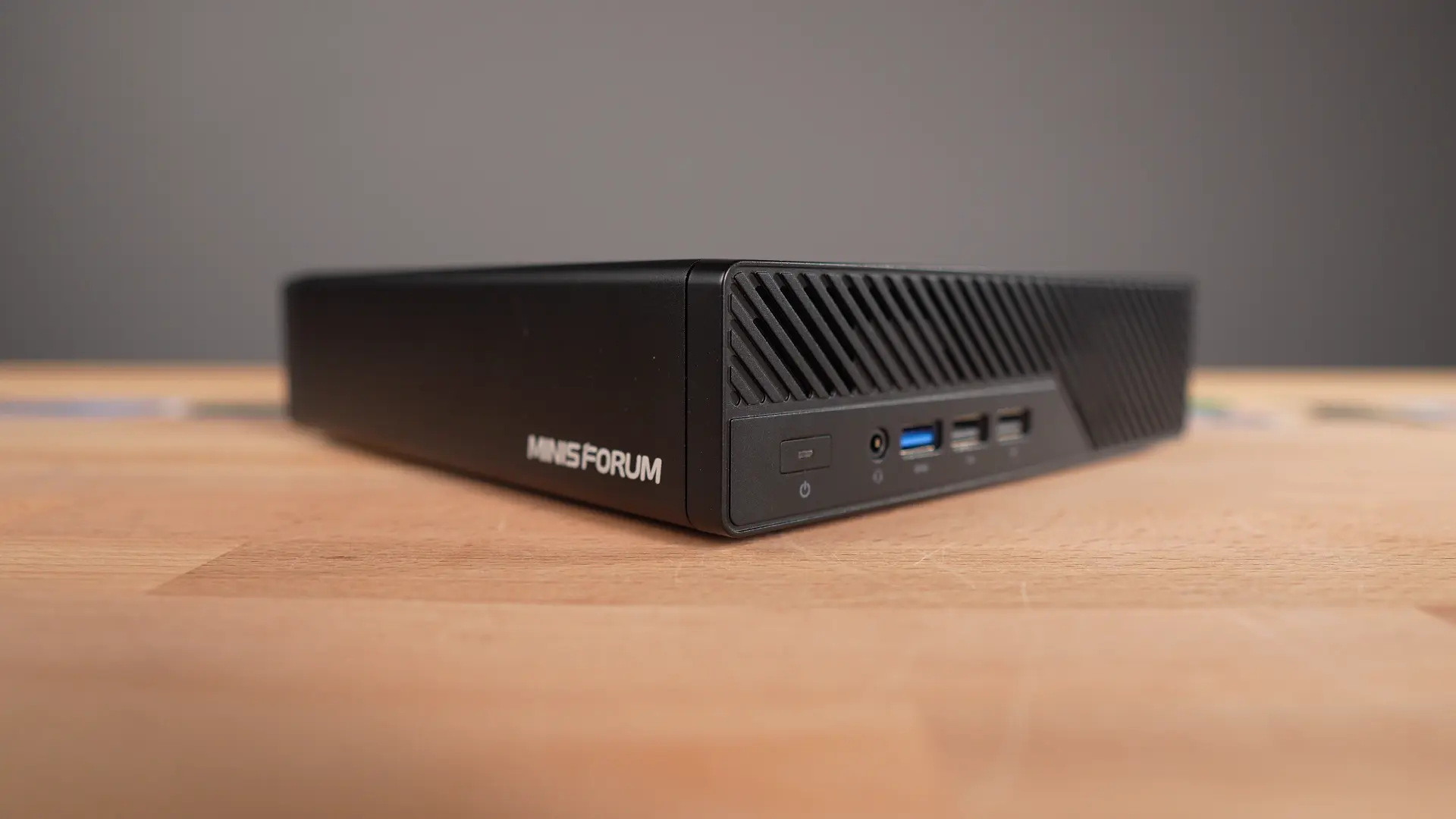 The MINISFORUM MS-03 used for the Frigate CPU, GPU, and NPU comparison.
Why Frigate made a useful NPU test
A synthetic benchmark can tell me which device is faster, but not which one I would choose for a workload that runs all day.
Frigate gave me a better test because object detection is continuous. Video frames keep arriving, inference repeats throughout the day, latency matters, and power adds up over time.
Frigate also supports Intel hardware through OpenVINO. That allowed me to keep the application, model, camera feeds, and video decoding path the same while changing only the device used for object detection.
| Processor | Role in the test |
|---|---|
| CPU | Runs Frigate and the rest of the application |
| Integrated GPU | Decodes the four video streams |
| OpenVINO detector | Runs on the CPU, GPU, or NPU |
That kept the comparison clean. Frigate, the model, the camera feeds, and video decoding stayed the same. Only the detector device changed between runs. It was one application with one variable changed between runs.
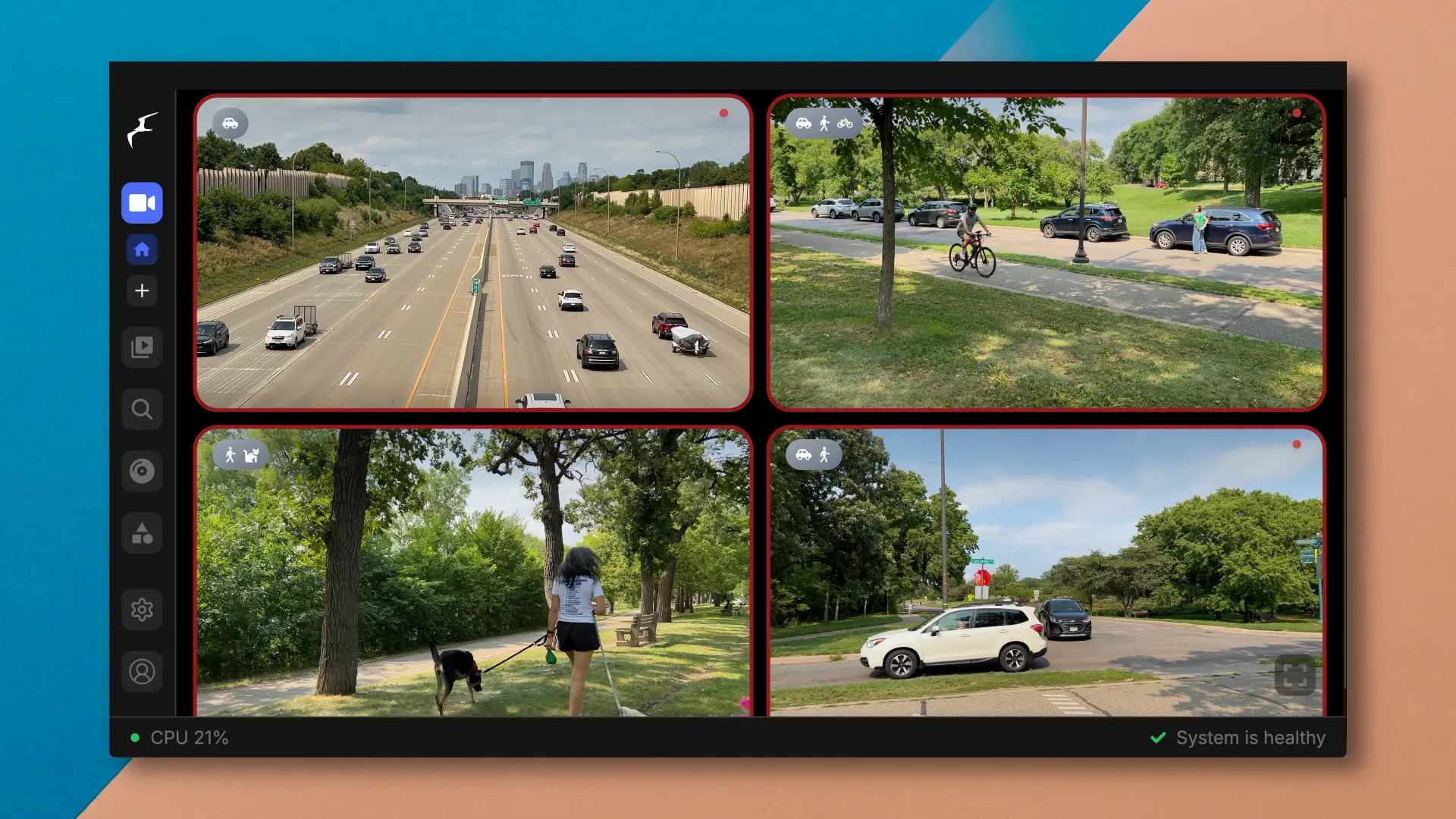 Four prerecorded scenes on loop and published as RTSP camera streams for Frigate.
The hardware
The MS-03 uses an Intel Core Ultra 9 386H from the Panther Lake generation. The processor combines a CPU, an integrated Intel GPU, and an NPU rated at up to 50 TOPS.
TOPS (Trillion Operations per Second) measures theoretical AI compute. It is useful for comparing hardware on paper, but it does not tell me how fast Frigate will run, how much of the system it will occupy, or what the machine will pull from the wall.
The rest of the MS-03 also makes sense for a small camera or edge AI server. It has 10 and 2.5 Gigabit Ethernet, dual 10 Gigabit SFP+, multiple NVMe slots, and PCIe expansion.
What mattered here was having all three processors in the same machine. I could compare them without adding a discrete GPU or moving the workload to another system.
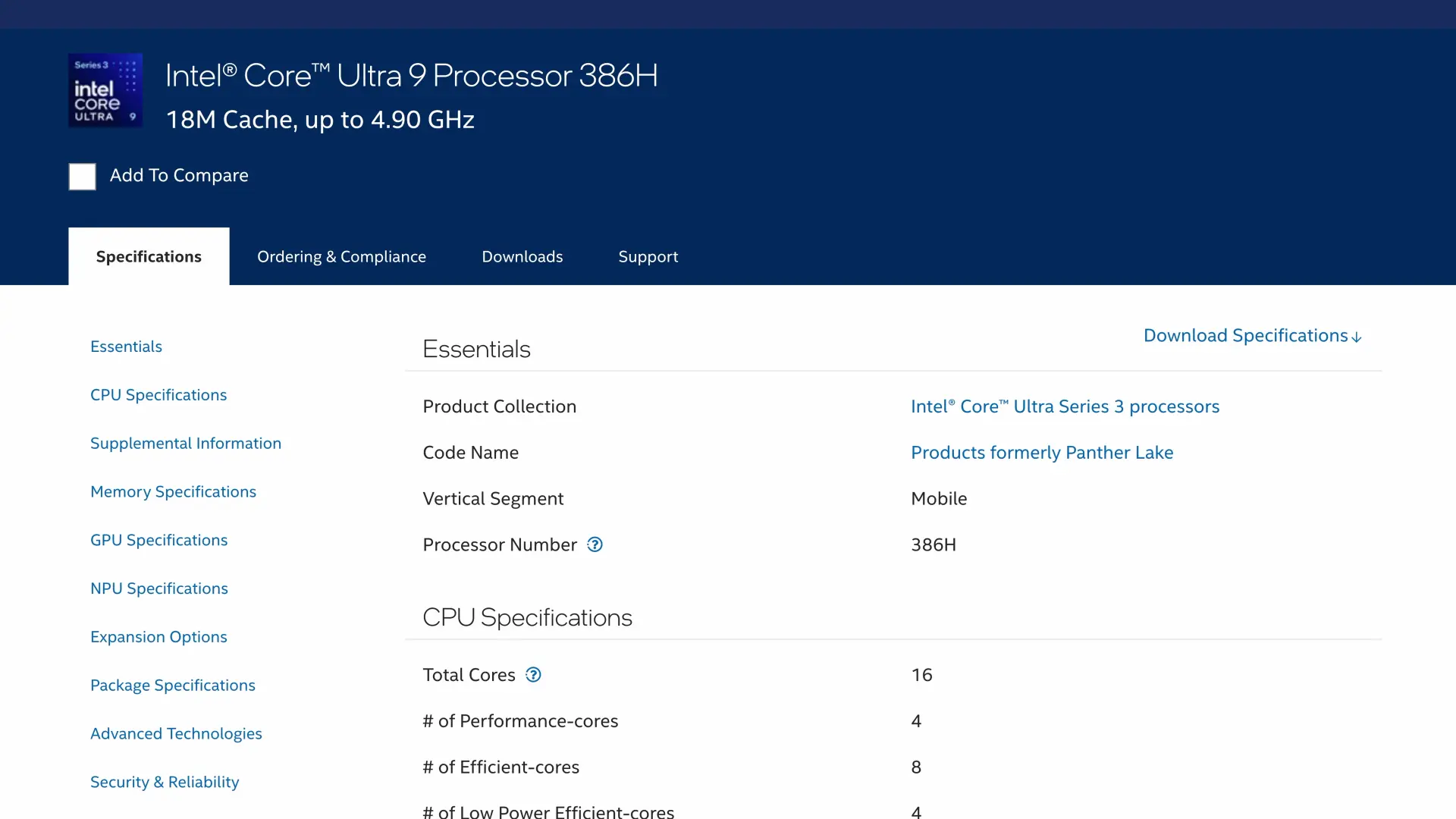 Intel’s specifications for the Core Ultra 9 386H that provides the CPU, integrated GPU, and NPU.
The Panther Lake software gap
Frigate 0.17.2 already supports Intel NPU detection. The problem was not Frigate’s OpenVINO detector.
The problem was the Intel userspace stack bundled inside the container (lower in the stack). Ubuntu and OpenVINO on the host could see the NPU, but OpenVINO inside the stock Frigate container could not use this Panther Lake generation.
I built a compatibility image with a newer OpenVINO, Intel NPU userspace, GPU compute runtime, and media stack. The full build is available in my frigate-intel-npu repository.
This remains a Frigate 0.17.2 rebuild. This build does not add a new detector or change Frigate’s OpenVINO implementation.
The image can be built from the repository with the following commands.
1
2
3
git clone https://github.com/timothystewart6/frigate-intel-npu.git
cd frigate-intel-npu
./build.sh
The container needs access to both the Intel graphics devices and the NPU device.
1
2
3
4
5
6
7
8
group_add:
  - "44"
  - "993"

devices:
  - /dev/dri/card0:/dev/dri/card0
  - /dev/dri/renderD128:/dev/dri/renderD128
  - /dev/accel:/dev/accel
The group IDs shown here matched the system I tested. Check the video and render group IDs on your own host before copying them.
The device selection itself is only one line. The same block can target CPU, GPU, or NPU.
1
2
3
4
5
6
7
8
9
10
detectors:
  openvino:
    type: openvino
    device: NPU
    model_path: /openvino-model/yolov9t.xml

model:
  model_type: yolo-generic
  width: 640
  height: 640
The NPU path requires a model with static input shapes. The model used here was YOLOv9-tiny exported as a 640 by 640 OpenVINO IR.
A mounted device node does not prove the model is executing on that device. The image includes verification helpers for both accelerators.
1
2
docker exec frigate verify-frigate-npu
docker exec frigate verify-frigate-gpu
The NPU check compiles the mounted model and confirms that OpenVINO reports the NPU as the execution device. I also watched the Intel NPU driver’s busy counter and confirmed it was increasing while the model was running.
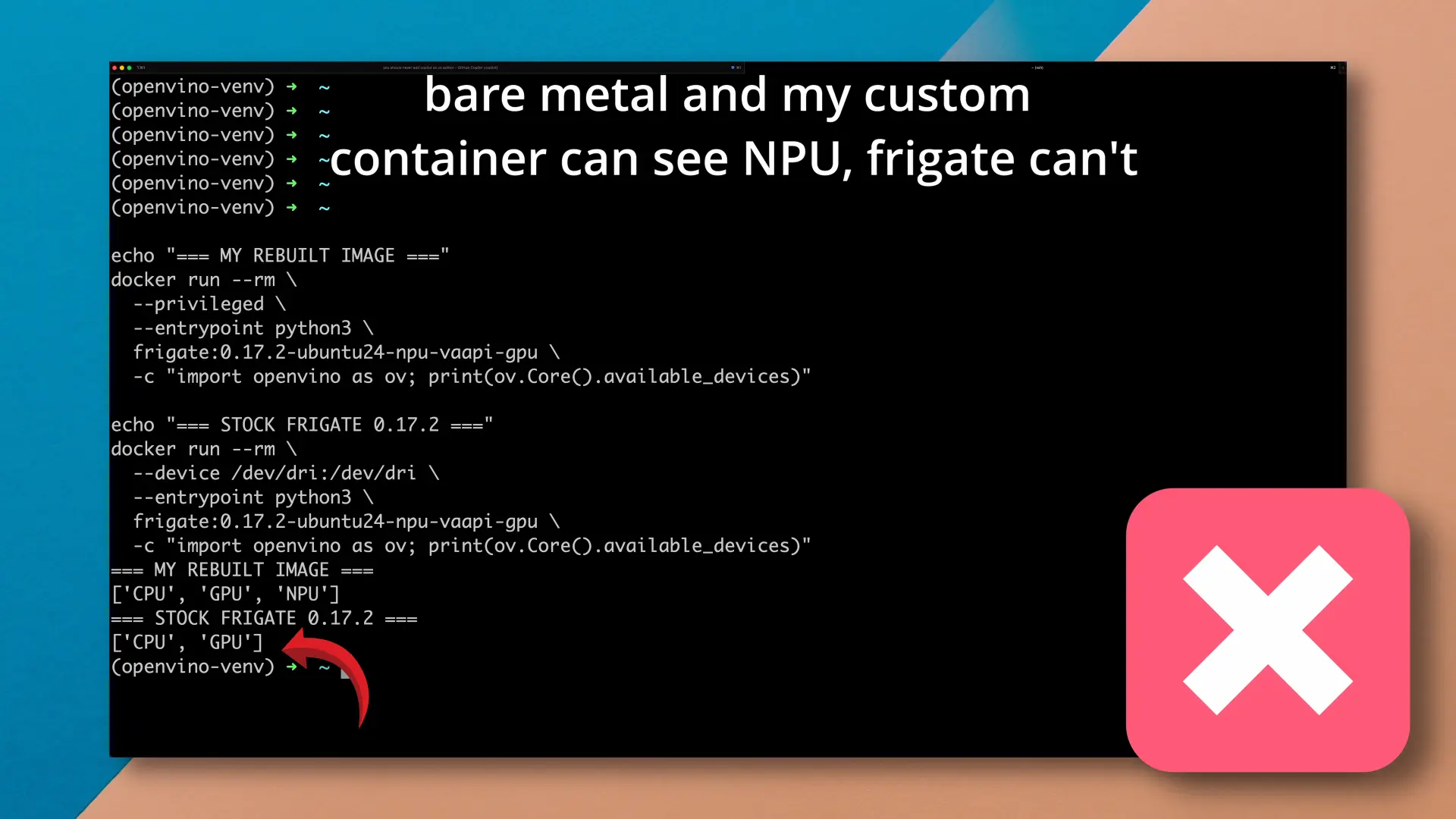 The compatibility image builds from the pinned Frigate 0.17.2 source before replacing the Intel userspace stack.
Building a repeatable camera workload
I recorded four short scenes around Minneapolis with different amounts of movement, people, and traffic. Each clip was looped in real time with FFmpeg, passed into go2rtc, and published as its own RTSP stream.
Frigate saw four normal camera URLs, even though the sources were local video files.
Every run used the same setup.
- Four repeatable camera streams
- YOLOv9-tiny at 640 by 640
- The same Frigate image
- The same GPU hardware video decoding
- The same detection and camera configuration
- About five minutes per run
- Five runs for each processor
The only setting that changed was detectors.openvino.device.
I collected Frigate detector latency and throughput along with CPU, GPU, NPU, and wall-power measurements. I sent hardware metrics to Prometheus and graphed in Grafana. Total system power came from a smart plug at the wall.
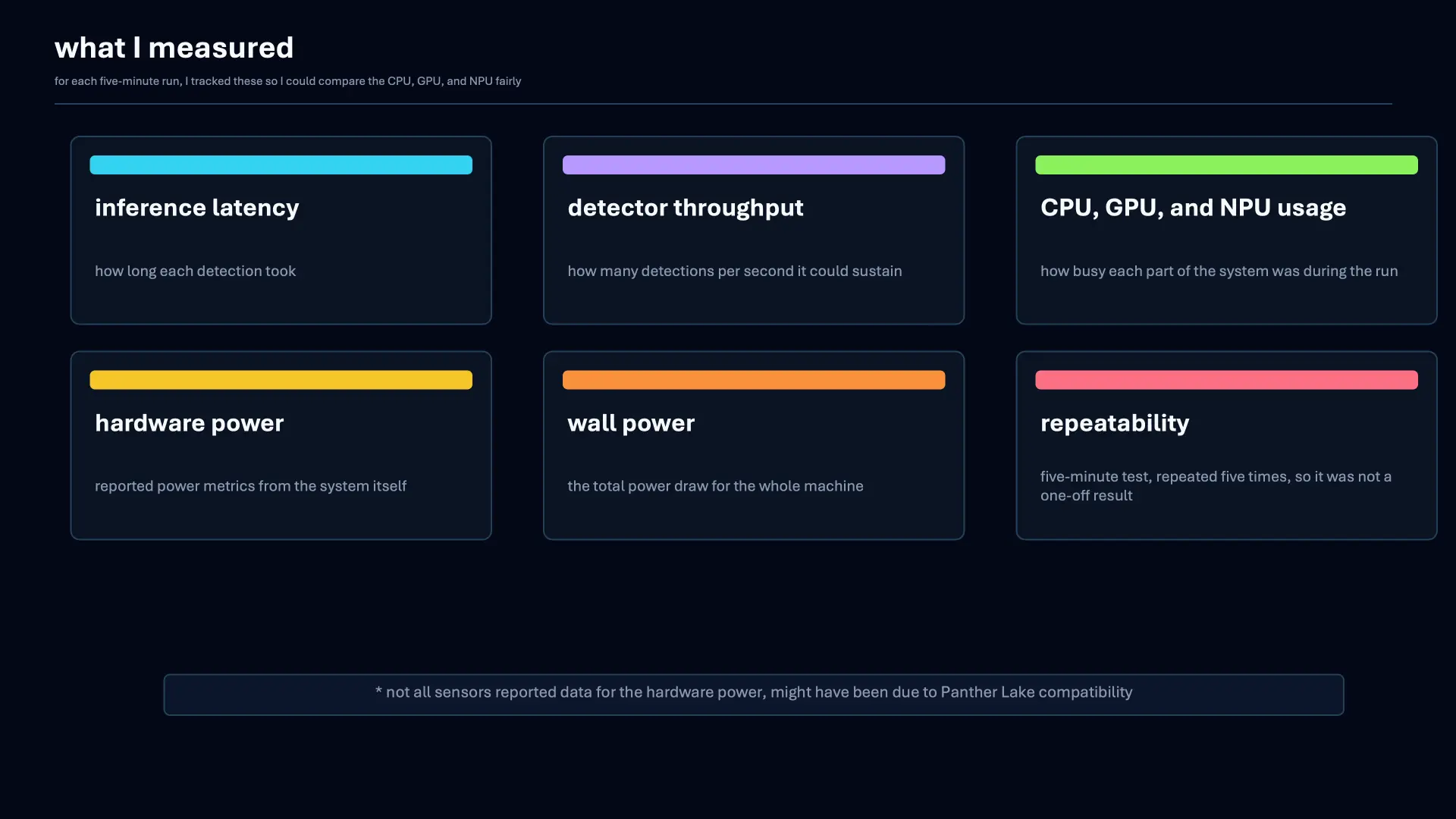 Each run tracked latency, detector throughput, utilization, hardware power, wall power, and repeatability.
CPU vs GPU vs NPU in Frigate
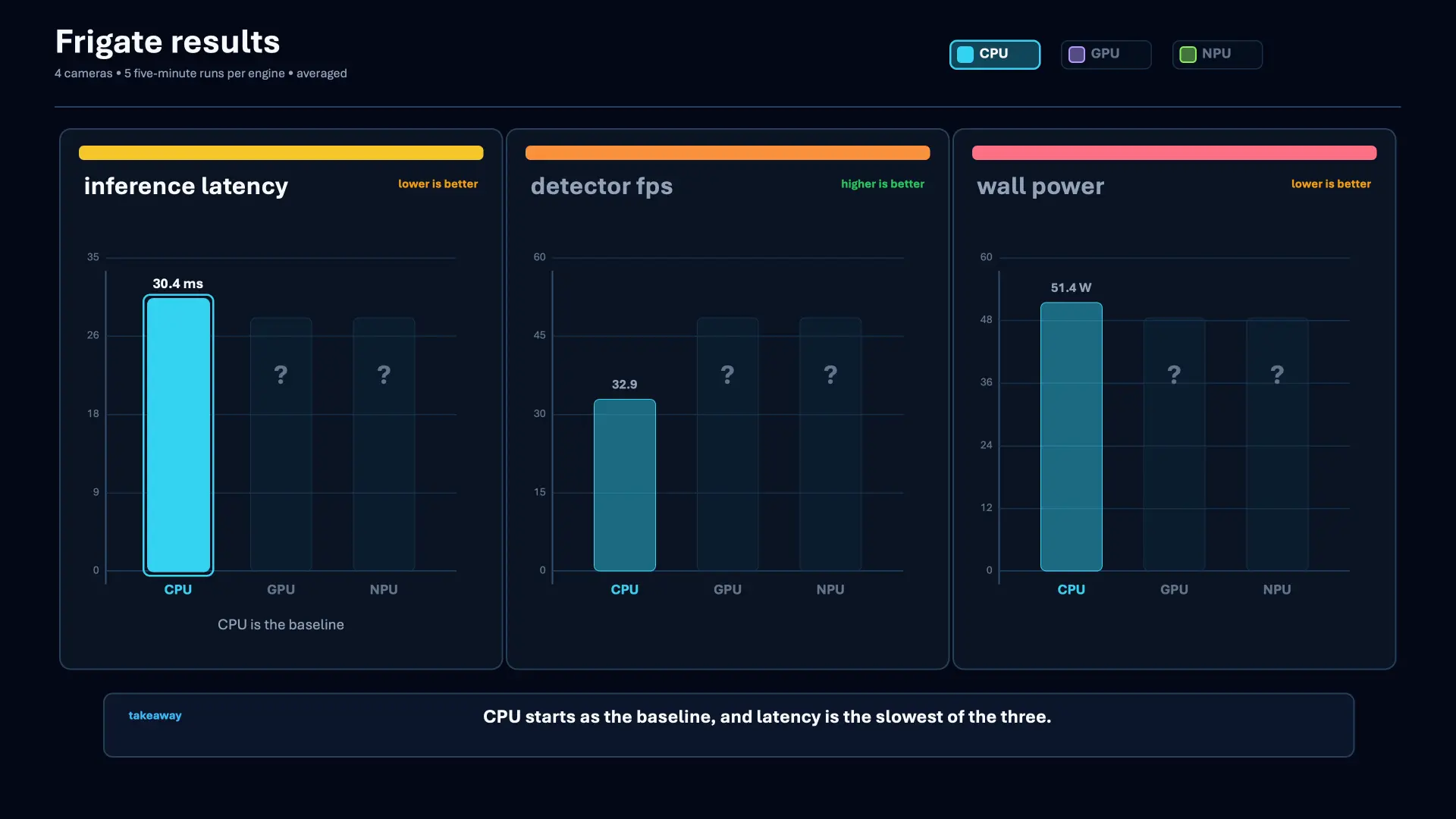
The live Frigate workload produced the following averages.
| Device | Frigate latency | Detector FPS | System power |
|---|---|---|---|
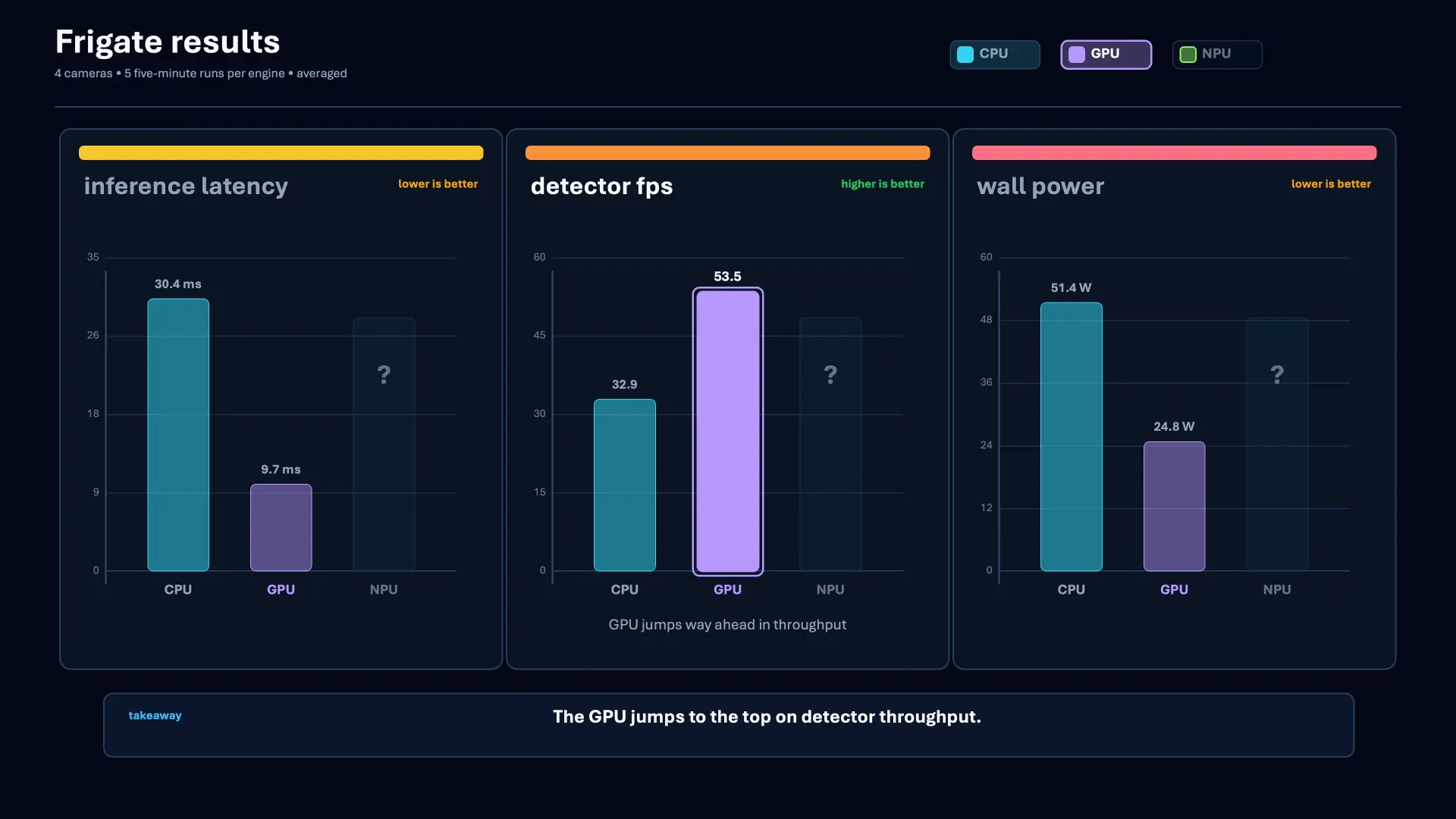
| CPU | 30.4 ms | 33.0 FPS | 51.4 W |
| GPU | 9.7 ms | 53.5 FPS | 24.8 W |
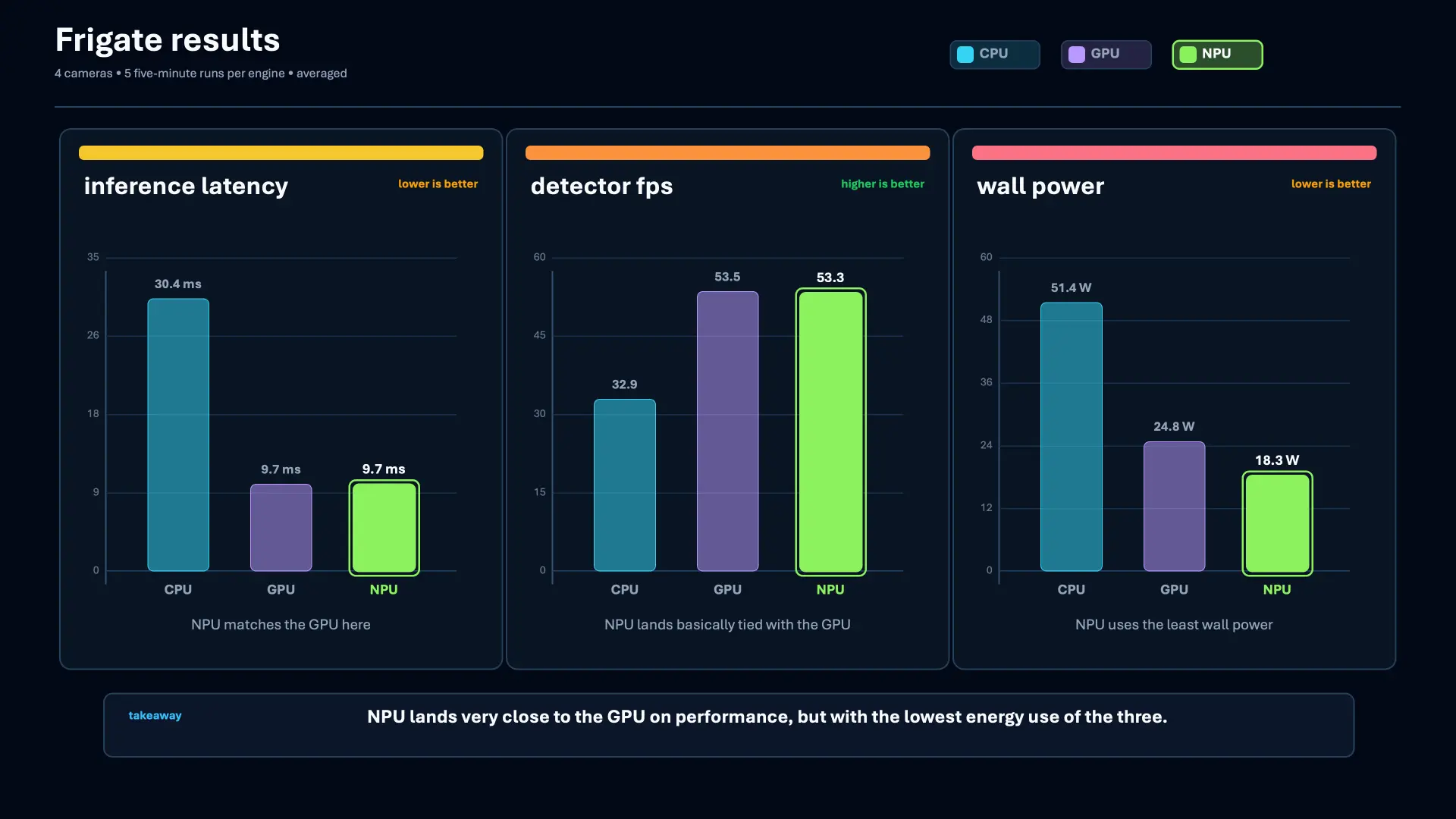
| NPU | 9.7 ms | 53.3 FPS | 18.3 W |
Moving detection from the CPU to the integrated GPU made the largest performance difference. Detector latency fell from 30.4 milliseconds to 9.7 milliseconds, while throughput increased from about 33 to 53.5 detector frames per second.
The GPU was also pretty much pegged during detection, averaging about 99 percent utilization.
In Frigate, the NPU was pretty much the same. It averaged the same 9.7 milliseconds and 53.3 detector frames per second. A difference of 0.2 FPS isn’t meaningful here.
The bigger difference was power and how much GPU headroom was left.
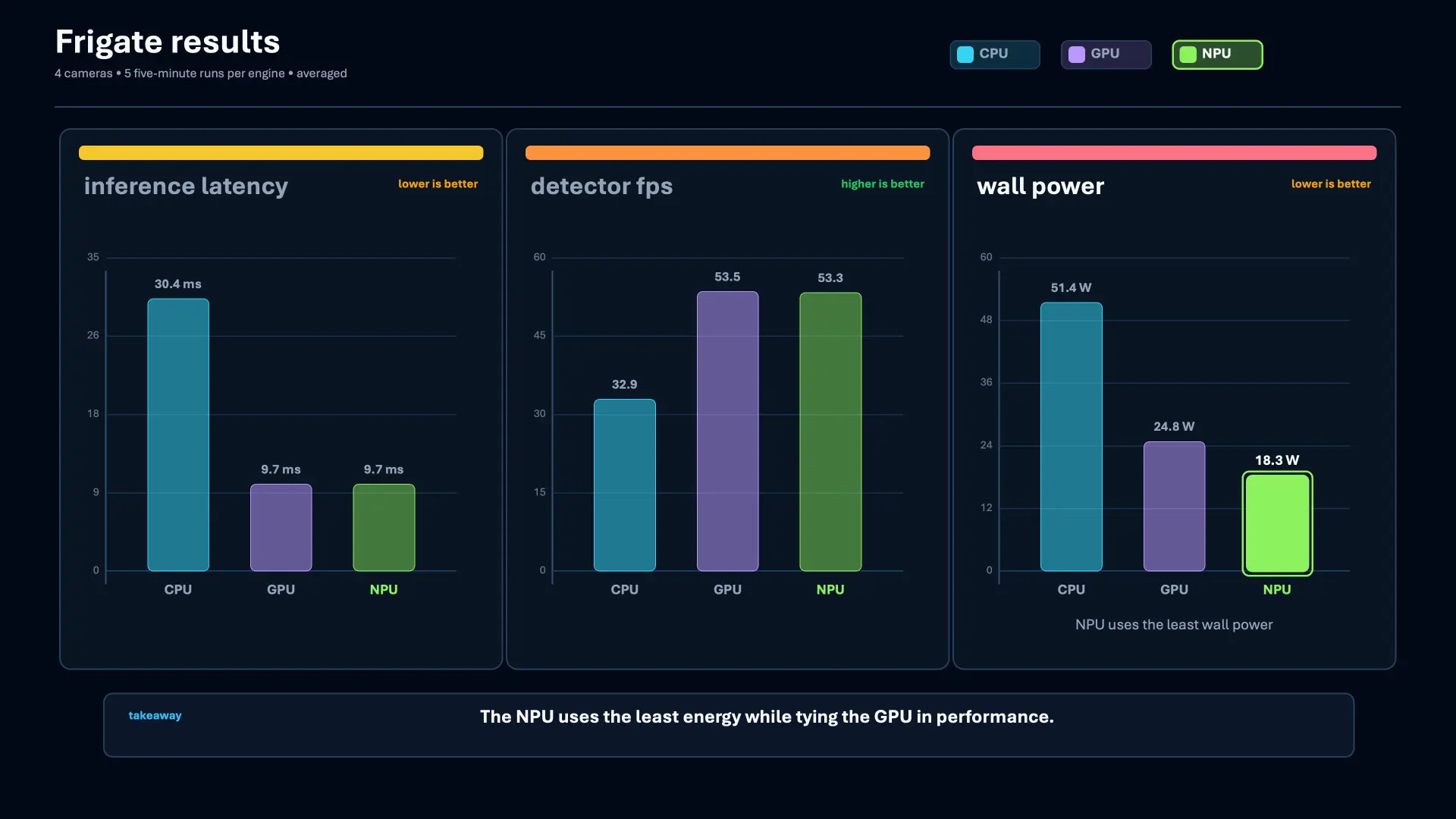
The NPU run used about 6.5 watts less at the wall than the GPU run and about 33 watts less than the CPU run. The NPU averaged about 18 percent utilization. With detection on the NPU, GPU utilization dropped to about 30 percent and was mostly handling video decoding.
That was pretty awesome to see. The NPU handled the continuous detector workload without pinning the GPU I still wanted for video decoding or other work.
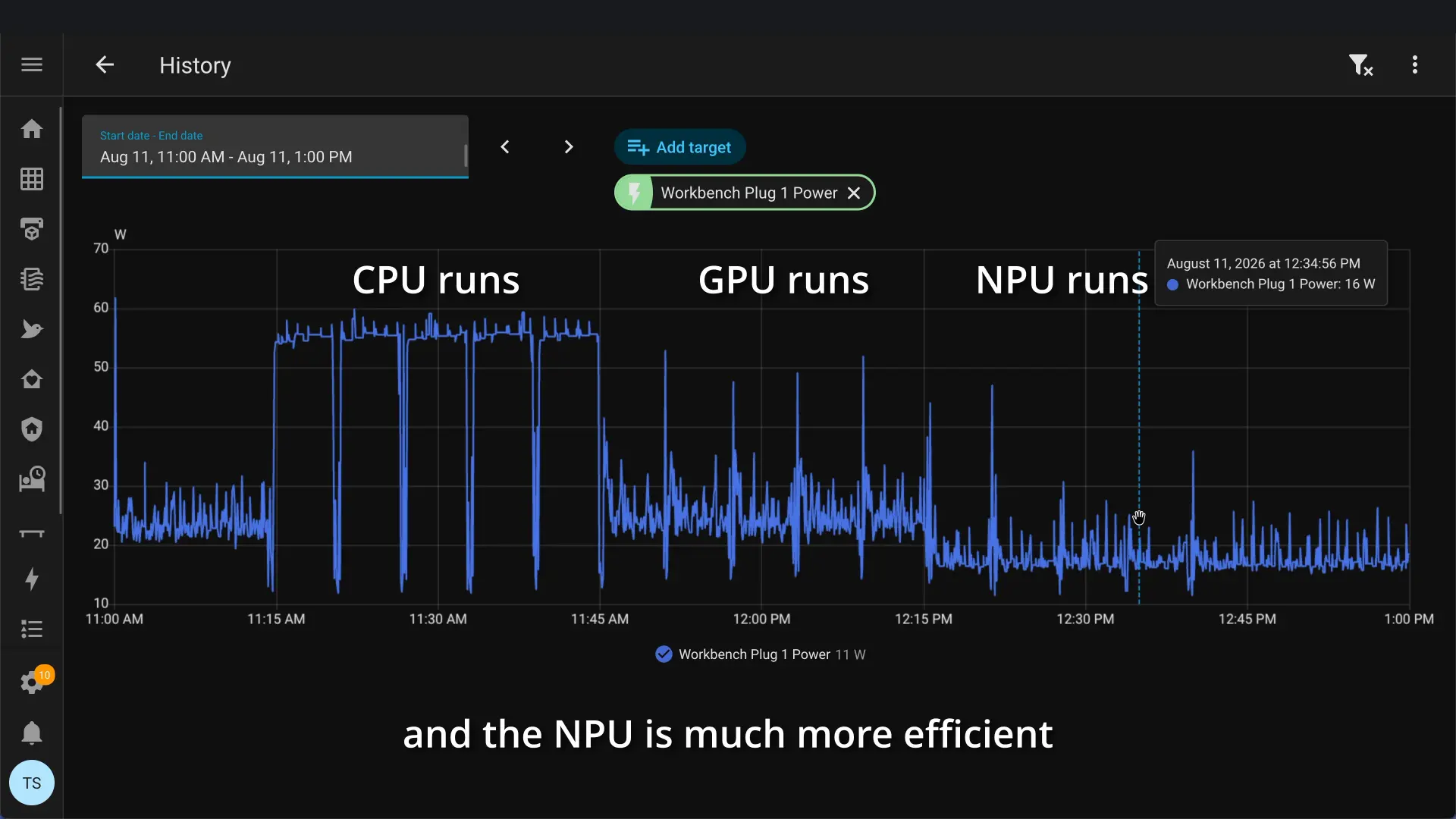 Wall-power history makes the lower NPU draw visible across the CPU, GPU, and NPU test runs.
Why the controlled benchmarks looked different
The standalone OpenVINO tests showed a bigger difference between the GPU and NPU.
The first test used OpenVINO’s benchmark_app with the same YOLOv9-tiny model in latency mode for 30 seconds.
| Device | Latency | Throughput |
|---|---|---|
| CPU | 28.6 ms | 34.5 FPS |
| GPU | 4.2 ms | 221 FPS |
| NPU | 2.2 ms | 315 FPS |
I also ran a synchronous test that more closely matched the one-request-at-a-time path used by Frigate.
| Device | Latency | Throughput |
|---|---|---|
| CPU | 29.3 ms | 34.2 FPS |
| GPU | 5.5 ms | 179 FPS |
| NPU | 4.8 ms | 200.5 FPS |
Both controlled tests put the NPU ahead of the integrated GPU. The live Frigate result was different because it measured the whole application rather than the accelerator in isolation.
Frigate was decoding four streams, moving frames, tracking objects, and processing detections. The live workload also needed only about 53 detector frames per second, well below what either accelerator handled in the controlled test.
The controlled tests show what the hardware can do. The Frigate test shows what the whole camera stack actually does.
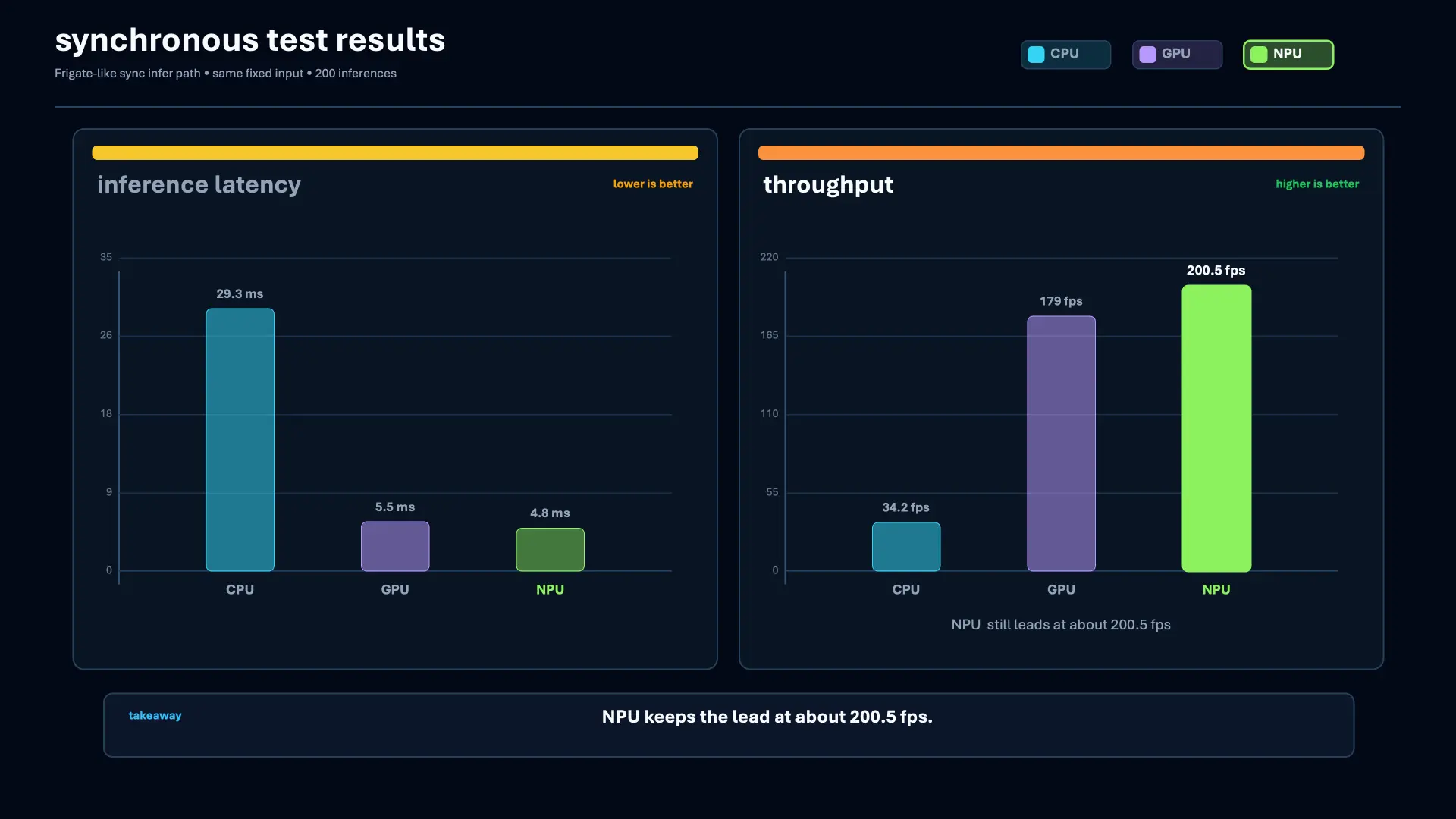 OpenVINO benchmark_app showed a clearer NPU lead when the model was measured outside the full Frigate workload.
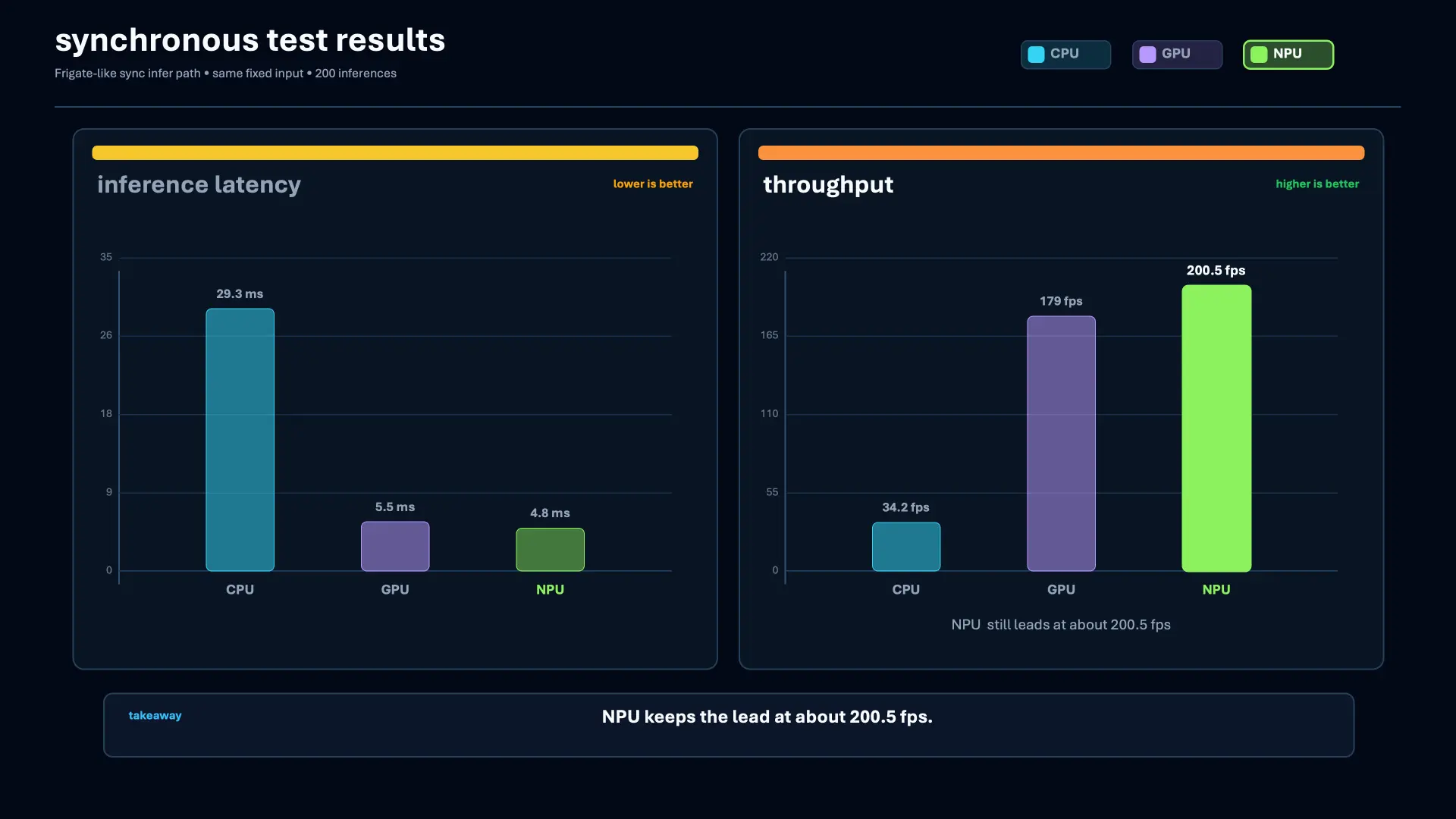 The synchronous test brought the GPU and NPU closer while still leaving the NPU ahead.
What the NPU is actually good at
The NPU isn’t a smaller replacement for the GPU.
It’s another place to run AI inference, especially workloads that stay active without tying up the CPU or GPU all day.
Frigate object detection fits this really well. The detector repeats continuously, the model is supported by OpenVINO, and moving it to the NPU frees the integrated GPU to keep handling video decode or another workload.
The same idea applies to normal people and outside a homelab. On supported systems, Windows Studio Effects can use the NPU for camera effects available to apps such as Zoom and Teams. Windows Speech Recognition can also run continuously on the NPU. OpenVINO can run supported language models on Intel NPUs, although I did not test LLM inference for this comparison.
Apple calls its version the Neural Engine. AMD calls its NPU architecture XDNA. Google uses the TPU name. The implementations differ, but the general role is similar. They provide dedicated hardware for supported AI work that does not need to occupy the CPU or GPU.
If I need more GPU compute, the MS-03 also has PCIe expansion that can be adapted to OCuLink for an external GPU. The NPU is not there to replace that. It takes the workloads that make sense for it.
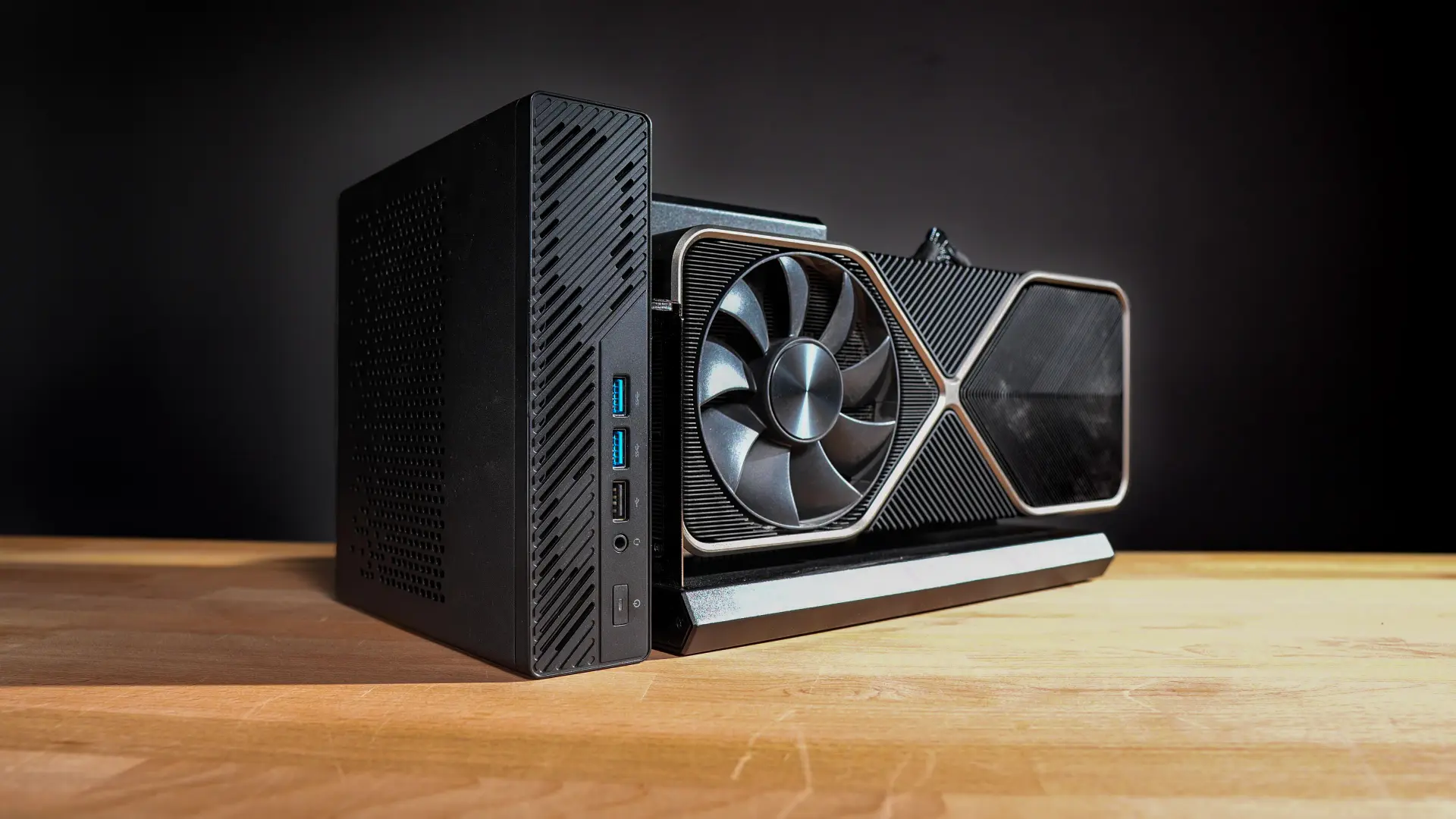 The MS-03 can still use external GPU compute through its PCIe expansion when a workload needs more than the integrated GPU.
What mattered was not whether the NPU won a benchmark. It was moving a workload that runs all day off the GPU without giving up real-world detector performance, while also lowering total system power.
That is where the NPU makes sense to me.
Where to Buy
MINISFORUM MS-03
- MINISFORUM MS-03 - MINISFORUM store (non-affiliate link)
- MINISFORUM MS-03 - Amazon (affiliate link)
Other devices with NPUs
- Intel Core Ultra systems with an NPU (affiliate link)
- AMD Ryzen AI laptops (affiliate link)
- Apple devices with a Neural Engine (affiliate link)
- Google Pixel devices with a TPU (affiliate link)
(Affiliate links. I may receive a small commission at no cost to you.)
Disclosure
MINISFORUM sent the MS-03 for testing. They did not sponsor this post or video and had no editorial input into either.
🤝 Support the channel and help keep this site ad-free
⚙️ See all the hardware I recommend at https://l.technotim.com/gear